Technician working on computer

Phishing Scam Prevention

Learn to identify and avoid malicious emails, fake websites, and other online scams. Protect your personal and financial information with expert training.
Key Features

What We Offer

Comprehensive tech support services designed to solve your technology challenges quickly and efficiently.

Email Threat Recognition

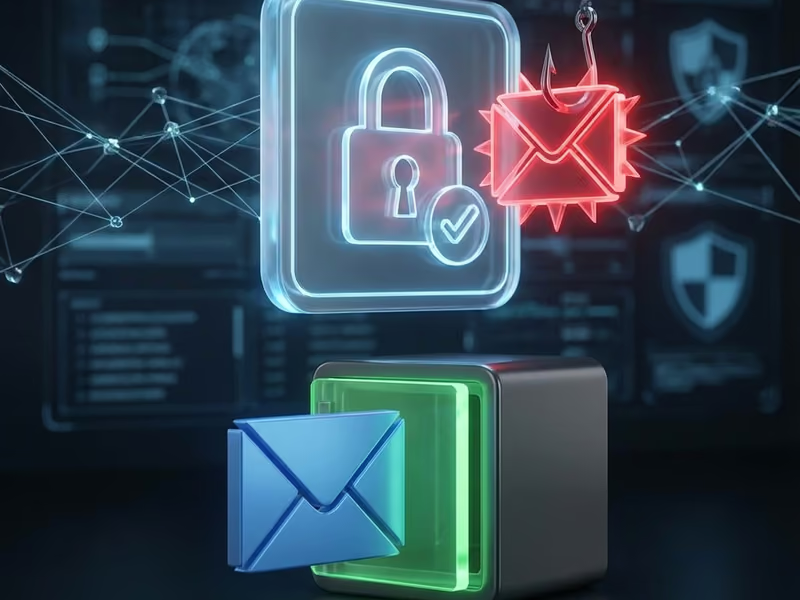
Spot suspicious sender addresses, generic greetings, urgent language, and poor grammar. Learn the telltale signs of phishing emails before clicking.

Fake Website Detection

Inspect links and URLs to verify legitimacy before entering credentials. Check for secure padlock, verify domain names, and spot fake login pages.

Common Scam Examples

Review real-world phishing attacks including fake security alerts, bogus invoices, and prize notifications. Learn what scammers actually send.

Strong Password Creation

Create unique, complex passwords for every account. Learn password manager tools and techniques to secure all your online accounts.

Two-Factor Authentication

Enable 2FA on all important accounts for an extra layer of security. Understand how authentication apps and SMS codes protect your accounts.

Safe Browsing Habits

Understand what information to never share online. Learn to verify websites, avoid suspicious downloads, and protect personal data.

category: “general”

In today’s digital world, phishing is one of the most common and dangerous threats to your online security. Scammers use sophisticated, deceptive emails and websites to trick you into revealing sensitive information like passwords, credit card numbers, and bank account details. A single mistake can lead to identity theft and financial loss.

Our Phishing Scam Prevention service is designed to empower you with the knowledge and skills to recognize and defeat these attacks.

What You Will Learn

We offer personalized training sessions for individuals and groups that turn you into a human firewall. Our training is practical, easy to understand, and covers the essential tactics scammers use.

  • Recognizing Malicious Emails: Learn to spot the tell-tale signs of a phishing email, such as suspicious sender addresses, generic greetings, urgent or threatening language, and poor grammar.
  • Identifying Fake Websites: We’ll teach you how to inspect website links and URLs to ensure you’re on a legitimate site before you enter any login credentials. You’ll learn to look for the secure padlock and verify domain names.
  • Understanding Common Scams: We’ll review real-world examples of common phishing attacks, including fake security alerts, bogus invoices, and prize-winning notifications, so you know what to look out for.
  • Best Practices for Online Safety: Beyond just phishing, we’ll cover essential security habits like creating strong, unique passwords, enabling two-factor authentication (2FA), and understanding the information you should never share online.

Knowledge is your best defense against online fraud. Equip yourself with the skills to browse the internet with confidence.

Testimonials

Success Stories stories

See what our clients say about this service.

View All Reviews

5x

Faster tech issue resolution

"As a senior, I appreciated their tech education services. They helped me understand how to use my tablet and stay safe online."

Robert G. avatar

Robert G.

Tucson, AZ

2x

Customer productivity boost

"As a senior, I appreciated their tech education services. They helped me understand how to use my tablet and stay safe online."

Robert G. avatar

Robert G.

Tucson, AZ

Pricing

Service Pricing

Transparent, competitive rates with no hidden fees—choose the plan that fits your needs

Pricing table for phishing-scam-prevention

Individual Training

$ 75

Per Service

One-on-one phishing scam prevention training for individuals.

Group Training

$ Custom

Training sessions for businesses or organizations on how to avoid phishing scams.

Ongoing Support

$ 50

Monthly

Continuous support to help you stay protected from phishing scams and online fraud.

FAQ

Frequently Asked Questions

Get answers to common questions about this service.

What is phishing?

Understanding cyber threats

Tap to reveal answer

Phishing is a type of cyber attack where scammers attempt to trick you into revealing sensitive personal information, such as usernames, passwords, and credit card details, by disguising themselves as a trustworthy entity in an electronic communication, like an email or text message.

I received a suspicious email. What should I do?

How to handle suspicious emails

Tap to reveal answer

Do not click any links, download any attachments, or reply to the email. The safest action is to delete it immediately. If the email claims to be from a company you do business with, contact them directly through their official website or phone number to verify the communication.

What is included in your phishing prevention training?

Individual and group sessions available

Tap to reveal answer

Our training covers how to identify common phishing tactics, recognize fake websites and malicious links, understand the risks of sharing information online, and best practices for creating strong passwords and securing your accounts. We offer sessions for both individuals and groups.

How can I tell if a website is fake?

Spotting fraudulent websites

Tap to reveal answer

Check the URL in the address bar carefully for misspellings or unusual domain names. Secure websites should start with 'https' and have a padlock icon. Be wary of sites with poor design, grammar mistakes, or pop-ups that ask for personal information immediately.

Free Consultation

Ready to Get Started?

Schedule a free consultation to discuss your phishing scam prevention needs. We're here to help.

4.9/5 Rating
Certified Experts
Same-Day Service