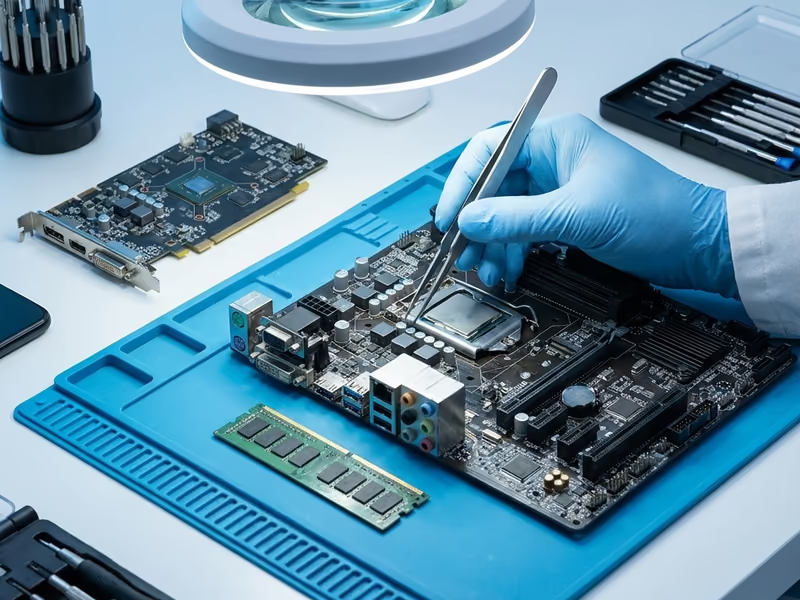
Technician working on computer

Computer & Hardware Repair

Fast, reliable repairs for desktops, laptops, and peripherals. From broken screens to failed hard drives, we fix it all.
Key Features

What We Offer

Comprehensive tech support services designed to solve your technology challenges quickly and efficiently.

Laptop Screen Repair

Cracked or malfunctioning laptop screens replaced with quality parts. Most repairs completed same-day or next-day.

Hard Drive Replacement

Upgrade to fast SSD storage or replace failing drives. Full data transfer and operating system reinstallation included.

Memory Upgrades

Speed up your slow computer with additional RAM. We source compatible memory and handle the installation.

Keyboard & Trackpad

Replace sticky keys, broken trackpads, and worn-out keyboards on laptops and desktops.

Power & Battery

Fix charging issues, replace laptop batteries, and repair power jacks. Get your portable devices running again.

Overheating Solutions

Thermal paste replacement, fan cleaning, and cooling upgrades to prevent shutdowns and extend component life.

category: “general”

When your computer breaks, you need it fixed fast. R5I Support provides professional hardware repair services for businesses and residents throughout the Phoenix Metro area. From simple memory upgrades to complex motherboard repairs, we have the expertise and parts to get you back up and running.

Desktop Computer Repairs

Common Desktop Issues We Fix

Power Problems

  • Computer won’t turn on
  • Random shutdowns or restarts
  • Power supply failures
  • Motherboard power issues

Performance Issues

  • Slow startup and operation
  • Freezing and hanging
  • Blue screen errors
  • Overheating

Component Failures

  • Hard drive and SSD failures
  • RAM problems
  • Graphics card issues
  • Cooling fan failures

Upgrades

  • SSD installation (dramatically speeds up older computers)
  • Memory (RAM) upgrades
  • Graphics card upgrades
  • Power supply upgrades

Laptop Repairs

Screen Replacement

Cracked, flickering, or dead laptop screens are one of our most common repairs:

  • LCD and LED panel replacement
  • Touch screen repairs
  • Bezel and hinge replacement
  • Display cable repairs

Turnaround: Most screen replacements completed within 24-48 hours once parts arrive.

Keyboard & Trackpad

  • Individual key replacement
  • Full keyboard replacement
  • Trackpad repair or replacement
  • Water damage cleanup

Battery & Power

  • Battery replacement (restore full runtime)
  • Charging port repair
  • AC adapter replacement
  • Power button repair

Storage Upgrades

  • HDD to SSD upgrade (best performance improvement)
  • M.2 NVMe SSD installation
  • Storage capacity expansion
  • Data migration from old drive

Brand Support

We repair computers from all major manufacturers:

Windows Laptops & Desktops:

  • Dell (Latitude, Inspiron, XPS, Precision)
  • HP (ProBook, EliteBook, Pavilion, Envy)
  • Lenovo (ThinkPad, IdeaPad, Legion)
  • ASUS, Acer, MSI, and more

Apple Products:

  • MacBook Air and MacBook Pro
  • iMac and Mac Mini
  • Mac Studio and Mac Pro
  • Vintage Mac support

Custom & Business Systems:

  • Custom-built PCs
  • Workstations and servers
  • Gaming PCs
  • All-in-one computers

Our Repair Process

1. Diagnosis

We start with a thorough diagnosis to identify all issues:

  • Free initial assessment for most problems
  • Comprehensive testing of all major components
  • Clear explanation of what’s wrong
  • Upfront pricing before any work begins

2. Quote & Approval

  • Detailed repair quote with parts and labor
  • Approval required before proceeding
  • No hidden fees or surprise charges
  • Option to decline if cost exceeds value

3. Repair

  • Quality replacement parts used
  • Proper anti-static procedures
  • Thorough testing after repair
  • Same-day service when possible

4. Follow-Up

  • 90-day warranty on labor
  • Parts covered by manufacturer warranty
  • Post-repair support if issues arise
  • Recycling of old parts available

When to Repair vs. Replace

We’ll give you honest advice about whether repair makes sense:

Consider Repair When:

  • Computer is less than 5 years old
  • Repair cost is less than 50% of replacement
  • Specific component failure (not multiple issues)
  • Data or software difficult to transfer

Consider Replacement When:

  • Computer is over 7 years old
  • Multiple failing components
  • Repair cost approaches new computer price
  • Significant performance gap with new systems

We can also help with data transfer and setup if you decide to replace your computer.

Business and On-Site Repair

For businesses, we offer on-site repair services:

  • No need to disconnect and transport equipment
  • Minimize employee downtime
  • Work performed during off-hours if preferred
  • Priority service for critical systems

Service Level Agreements

Business customers can opt for SLA-backed support:

  • Guaranteed response times
  • Priority parts procurement
  • Dedicated account manager
  • Preventive maintenance schedules

Contact us today to schedule a repair or get a quote for your computer issues.

Testimonials

Success Stories stories

See what our clients say about this service.

View All Reviews

5x

Faster tech issue resolution

"They fixed my computer in no time. Their tech was friendly, professional, and explained everything clearly."

Jane D. avatar

Jane D.

Phoenix, AZ

2x

Customer productivity boost

"As a senior, I appreciated their tech education services. They helped me understand how to use my tablet and stay safe online."

Robert G. avatar

Robert G.

Tucson, AZ

Pricing

Service Pricing

Transparent, competitive rates with no hidden fees—choose the plan that fits your needs

Pricing table for hardware-repair

Diagnostic Fee

$ 50

One Time

Comprehensive diagnosis to identify all hardware issues (waived if repair proceeds).

Laptop Screen Replacement

$ 200

One Time

Screen replacement for most laptop models. Final price varies by screen type.

SSD Upgrade

$ 150

One Time

Upgrade to solid-state drive with data migration (SSD cost separate).

Memory Upgrade

$ 75

One Time

RAM installation and configuration (memory cost separate).

Battery Replacement

$ 100

One Time

Laptop battery replacement (battery cost separate).

Keyboard Replacement

$ 125

One Time

Laptop keyboard replacement including water damage cleanup.

On-Site Repair

$ 200

Per Service

* Non-refundable service call fee applies to on-site visits

On-site hardware repair at your location (plus parts and repair costs).

FAQ

Frequently Asked Questions

Get answers to common questions about this service.

How much does computer repair cost?

Transparent pricing with no surprises

Tap to reveal answer

Repair costs vary by issue. Diagnosis is $50-$75, and most repairs range from $100-$300 for parts and labor. Screen replacements typically run $150-$400 depending on the laptop model. We always provide a quote before beginning work, so you know the cost upfront.

How long will my repair take?

Most repairs completed quickly

Tap to reveal answer

Simple repairs (RAM upgrades, software issues) are often same-day. Screen replacements and SSD upgrades typically take 24-48 hours. Complex repairs requiring special parts may take 3-5 business days. We'll give you a timeline when you drop off your device.

Is it worth repairing my old computer?

We'll give you honest advice

Tap to reveal answer

We'll tell you honestly if repair makes sense. Generally, if repair costs exceed 50% of a replacement and the computer is over 5 years old, replacement is often better. For newer computers or specific component failures, repair usually makes more sense.

Will I lose my files during repair?

Data preservation is a priority

Tap to reveal answer

We take precautions to preserve your data. For storage-related repairs (hard drive replacement), we offer data transfer services to move your files to the new drive. We always recommend having backups, and we can help you set up a backup system.

Do you repair Macs?

All major brands supported

Tap to reveal answer

Yes! We repair MacBooks, iMacs, and Mac Minis. Common repairs include screen replacement, SSD upgrades, battery replacement, and keyboard repairs. We also support vintage Macs for basic maintenance and upgrades.

What warranty do you offer on repairs?

90-day labor warranty

Tap to reveal answer

All repairs include a 90-day labor warranty. If the same issue recurs within 90 days, we'll fix it at no additional charge. Parts are covered by their manufacturer's warranty, which varies by component (typically 1-3 years).

Can you come to my location for repairs?

On-site service available

Tap to reveal answer

Yes! We offer on-site repair services for businesses throughout the Phoenix Metro area. For residential customers, we can pick up and deliver if needed. On-site service includes a trip charge in addition to repair costs.

My computer won't turn on. Can you fix it?

Power issues are common repairs

Tap to reveal answer

Usually, yes. Power issues can be caused by failed power supplies, dead batteries, faulty power jacks, or motherboard problems. We diagnose the specific cause and provide repair options. Even if the motherboard is dead, we can often recover your data.

Free Consultation

Ready to Get Started?

Schedule a free consultation to discuss your computer & hardware repair needs. We're here to help.

4.9/5 Rating
Certified Experts
Same-Day Service