Technician working on computer

Email & Productivity Suite Setup

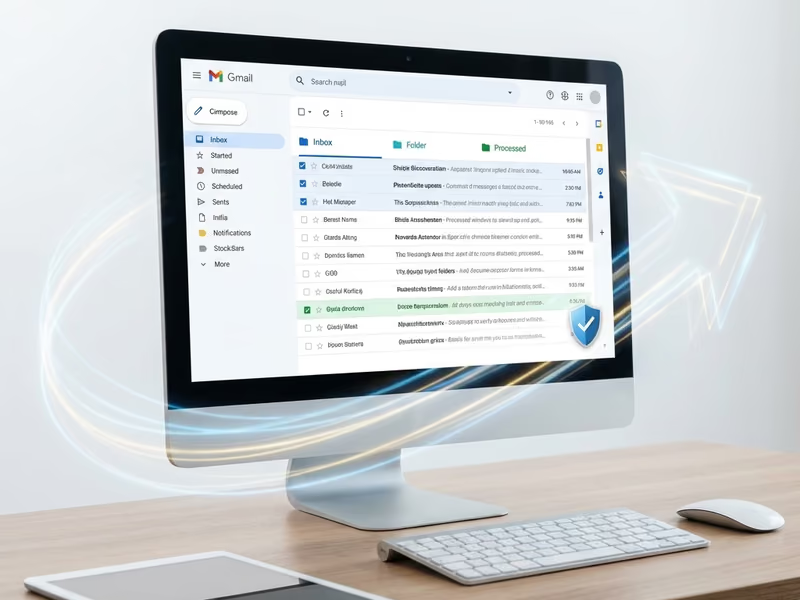
Professional email with your business domain, plus productivity tools that help your team work smarter.
Key Features

What We Offer

Comprehensive tech support services designed to solve your technology challenges quickly and efficiently.

Custom Domain Email

Professional email addresses using your business domain ([email protected]) instead of generic Gmail or Yahoo addresses.

Microsoft 365

Complete Microsoft 365 setup including Outlook, Word, Excel, PowerPoint, Teams, and OneDrive for your entire team.

Google Workspace

Gmail, Google Drive, Docs, Sheets, and Meet configured for business use with your custom domain.

Shared Calendars

Team calendars, room booking, and appointment scheduling that everyone can access and update.

Mobile Setup

Email, calendar, and contacts synced to all devices—phones, tablets, and laptops.

Spam & Security

Advanced spam filtering, phishing protection, and email encryption to protect your business communications.

category: “business”

First impressions matter. When you email a potential customer from [email protected] instead of [email protected], you’re sending a message about your professionalism before they even read your email. R5I Support helps Phoenix businesses set up professional email and productivity tools that enhance credibility and streamline operations.

Why Business Email Matters

Professional Image

  • Credibility: Custom domain email looks more professional and trustworthy
  • Brand Recognition: Every email reinforces your business name
  • Consistency: All employees use the same domain
  • Portability: You own your domain and can switch providers anytime

Features Not Available with Free Email

Business email platforms provide features essential for operations:

  • Larger Storage: Typically 50GB-unlimited per user
  • Admin Controls: Manage all company email from one dashboard
  • Compliance Features: Legal hold, archiving, and eDiscovery
  • Security: Advanced threat protection and encryption
  • Mobile Management: Remotely wipe lost devices
  • Shared Resources: Team calendars, distribution lists, shared mailboxes

Microsoft 365 Setup

Microsoft 365 (formerly Office 365) is the industry standard for business productivity:

What’s Included

  • Outlook: Professional email client for desktop, web, and mobile
  • Word, Excel, PowerPoint: Desktop and web versions of Office apps
  • OneDrive: 1TB cloud storage per user
  • SharePoint: Team document sharing and collaboration
  • Teams: Video meetings, chat, and collaboration
  • Exchange Online: Business-grade email hosting

Our Setup Process

  1. Domain Configuration: Connect your business domain to Microsoft 365
  2. User Creation: Set up accounts for all employees
  3. Email Migration: Transfer existing email from your old provider
  4. Desktop Apps: Install Office applications on company computers
  5. Mobile Setup: Configure phones and tablets
  6. Training: Show your team how to use the new tools

Microsoft 365 Plans

  • Business Basic ($6/user/month): Web/mobile apps, email, 1TB storage
  • Business Standard ($12.50/user/month): + Desktop apps
  • Business Premium ($22/user/month): + Advanced security features

Google Workspace Setup

Google Workspace (formerly G Suite) is a powerful alternative with tight integration:

What’s Included

  • Gmail: Fast, reliable email with powerful search
  • Google Drive: 30GB-5TB cloud storage (plan dependent)
  • Docs, Sheets, Slides: Collaborative document editing
  • Google Meet: Video conferencing
  • Google Chat: Team messaging
  • Google Calendar: Shared scheduling

Why Choose Google Workspace

  • Collaboration: Real-time editing with multiple users
  • Simplicity: Familiar interface similar to personal Google accounts
  • Integration: Works well with many third-party apps
  • Reliability: Google’s infrastructure is extremely reliable
  • Search: Gmail’s search is powerful and fast

Google Workspace Plans

  • Business Starter ($6/user/month): 30GB storage, custom email
  • Business Standard ($12/user/month): 2TB storage, recording in Meet
  • Business Plus ($18/user/month): 5TB storage, advanced security

Email Migration

Already have email elsewhere? We’ll migrate everything:

What We Transfer

  • All email messages (including sent and folders)
  • Contacts and address books
  • Calendars and appointments
  • Email rules and signatures (when supported)

Migration Sources

  • GoDaddy, Rackspace, Network Solutions
  • Gmail, Yahoo, Outlook.com
  • On-premise Exchange Server
  • POP/IMAP mailboxes
  • Other email providers

Migration Process

  1. Inventory: Document all existing mailboxes
  2. Preparation: Set up new accounts in Microsoft 365 or Google Workspace
  3. Sync: Begin background synchronization
  4. Cutover: Switch DNS records to new provider
  5. Verification: Confirm all email is accessible
  6. Cleanup: Decommission old accounts

Additional Features

Shared Mailboxes

Create shared addresses for departments:

Multiple people can send and receive from shared mailboxes without needing separate licenses.

Distribution Groups

Send to multiple recipients with a single address:

Email Signatures

Consistent, professional signatures for all employees:

  • Company logo and branding
  • Contact information
  • Legal disclaimers (when required)
  • Social media links

Spam and Security

Business email includes protection not available on free services:

  • Advanced spam filtering
  • Phishing detection
  • Malware scanning
  • Encryption in transit and at rest
  • Two-factor authentication

Case Study — Real Estate Agency

A real estate agency with 12 agents was using a mix of Gmail, Yahoo, and an old website email provider. Email was unreliable, agents couldn’t share calendars, and the unprofessional addresses hurt their image.

Solution:

  • Migrated all 12 agents to Microsoft 365 Business Standard
  • Set up custom domain email ([email protected])
  • Created shared calendar for showing schedules
  • Configured OneDrive for document storage
  • Set up Teams for internal communication

Results:

  • Professional image with consistent branding
  • Zero lost emails (previous provider had deliverability issues)
  • Agents can see each other’s availability for showings
  • Documents accessible from phone when with clients
  • Monthly cost: $150/month for all 12 users

Ready to upgrade your business email? Contact us for a free consultation and migration quote.

Testimonials

Success Stories stories

See what our clients say about this service.

View All Reviews

5x

Faster tech issue resolution

"We been using R5i for various services and their tech support is first class, professional, and they solve the issue quickly."

Torque & Tune: Performance Auto Repair avatar

Torque & Tune: Performance Auto Repair

Phoenix, AZ

2x

Customer productivity boost

"They fixed my computer in no time. Their tech was friendly, professional, and explained everything clearly."

Jane D. avatar

Jane D.

Phoenix, AZ

Pricing

Service Pricing

Transparent, competitive rates with no hidden fees—choose the plan that fits your needs

Pricing table for email-productivity

Business Email Setup

$ 150

One Time

Domain configuration and user setup for Microsoft 365 or Google Workspace.

Email Migration

$ 25

Per Service

Per-mailbox migration from existing provider including full email history.

Productivity Suite Training

$ 200

Per Service

Group training session on Microsoft 365 or Google Workspace tools.

Shared Mailbox Setup

$ 50

One Time

Configure shared mailboxes, distribution groups, and email aliases.

Email Security Configuration

$ 150

One Time

Advanced spam filtering, phishing protection, and security policy setup.

FAQ

Frequently Asked Questions

Get answers to common questions about this service.

Why should I use business email instead of Gmail or Yahoo?

Professional image and better features

Tap to reveal answer

Business email ([email protected]) looks more professional than free email. It also includes features essential for business: larger storage, admin controls, security features, shared calendars, and legal compliance tools not available on free accounts.

How much does business email cost?

Affordable per-user pricing

Tap to reveal answer

Microsoft 365 and Google Workspace both start at $6/user/month for basic plans. Standard plans with desktop apps are about $12/user/month. For a 5-person company, that's $30-$60/month for professional email, file storage, and productivity tools.

Can I keep my existing email addresses?

Your domain stays the same

Tap to reveal answer

Yes! If you already have a domain (yourbusiness.com), we'll set up your new email system to use it. If you're using free email (like Gmail), we can help you purchase a domain and migrate your email history to the new addresses.

What happens to my old emails when I switch providers?

Full migration preserves everything

Tap to reveal answer

We migrate all your existing emails, contacts, and calendars to your new platform. Nothing is lost. Your entire email history will be searchable in your new mailbox, and old email addresses can continue receiving mail during the transition.

Which is better for my business: Microsoft 365 or Google Workspace?

Both are excellent choices

Tap to reveal answer

Microsoft 365 is great if you need desktop Office apps or already use Windows extensively. Google Workspace is ideal for real-time collaboration and has a simpler learning curve. We can discuss your specific needs and recommend the best fit.

Can multiple people share an email address?

Shared mailboxes available

Tap to reveal answer

Yes! Both Microsoft 365 and Google Workspace support shared mailboxes. Multiple employees can send and receive from addresses like [email protected] or [email protected] without needing individual licenses for each address.

How do I access email on my phone?

Full mobile support included

Tap to reveal answer

Business email works on all smartphones and tablets. We set up the Outlook or Gmail app on your mobile devices, which syncs email, calendar, and contacts automatically. You can read and respond to email from anywhere.

Is business email more secure than free email?

Enhanced security features included

Tap to reveal answer

Yes. Business email includes advanced spam filtering, phishing protection, malware scanning, and encryption. Administrators can enforce security policies like multi-factor authentication and can remotely wipe lost devices to protect company data.

Free Consultation

Ready to Get Started?

Schedule a free consultation to discuss your email & productivity suite setup needs. We're here to help.

4.9/5 Rating
Certified Experts
Same-Day Service